
Skip to content
Tech Tips Now

TechTipsNow – Tips, News, Tricks, and Error Fixing.

  • News
    • Updates & Patch Note
  • How To
  • Opinions
  • Firmware
    • Device Type
      • Phone
      • TV
      • Others
  • Guide
  • Keyboard Shortcuts
  • How to Fix
  • About Us
    • Contact Us
    • Privacy Policy

Home » You searched for Google Chrome » Page 13

Search Results for: Google Chrome

Netflix Error Code m7111-1935-405001
January 27, 2021 How to Fix

How to Fix Netflix Error Code m7111-1935-405001 in Windows 10

Hey! Are you just streaming video or movies on Netflix and you encountered an Error Code m7111-1935-405001 on your screen

Continue reading
How to Fix Hulu Error Code RUNUNK13
January 24, 2021 How to Fix

How to Fix Hulu Error Code RUNUNK13- TechTipsNow

Hulu is one of the popular video streaming service providers in the United State. It provides subscription services to watch

Continue reading
How to View Your YouTube Comment History
October 21, 2026 How To

How to View Your YouTube Comment History

Have you ever left a comment on a YouTube video and wanted to find it again, but could not remember

Continue reading

Profile Locking Option Not Showing on Facebook
September 24, 2026 How to Fix

Profile Locking Option Not Showing on Facebook

Facebook’s Lock Profile feature is designed to give you more control over what people who are not your friends can

Continue reading
Enable & Set Up USB Tethering in Windows 11 or 10
August 25, 2026 How To

Enable & Set Up USB Tethering in Windows 11/10

When your Wi-Fi connection is unavailable, unreliable, or simply too slow, your smartphone can give your Windows PC a quick

Continue reading

Crunchyroll Error Code Med-4003
August 20, 2026 How to Fix

Crunchyroll Error Code Med-4003 [Simple Methods To Fix]

Crunchyroll is one of the best platforms to stream or consume anime content. But unfortunately, users regularly face some types

Continue reading

Gmail Account Has Stopped Receiving Emails
August 16, 2026 How to Fix

Gmail Not Receiving Emails [Causes & Fixes]

When your Gmail account has stopped receiving emails, it can be frustrating, especially when you are expecting an important message

Continue reading
Open PPT without PowerPoint
July 10, 2026 Guide

Open PPT without PowerPoint [Easy Guide]

Opening a PPT file without PowerPoint is much easier than many people realize. Whether you choose Google Slides, PowerPoint Online,

Continue reading
Fix 'Something went wrong (1076)' on Gemini AI
July 9, 2026 How to Fix

Fix ‘Something went wrong (1076)’ on Gemini AI

Running into the “Something went wrong (1076)” error on Gemini AI can be frustrating, especially when you’re in the middle

Continue reading
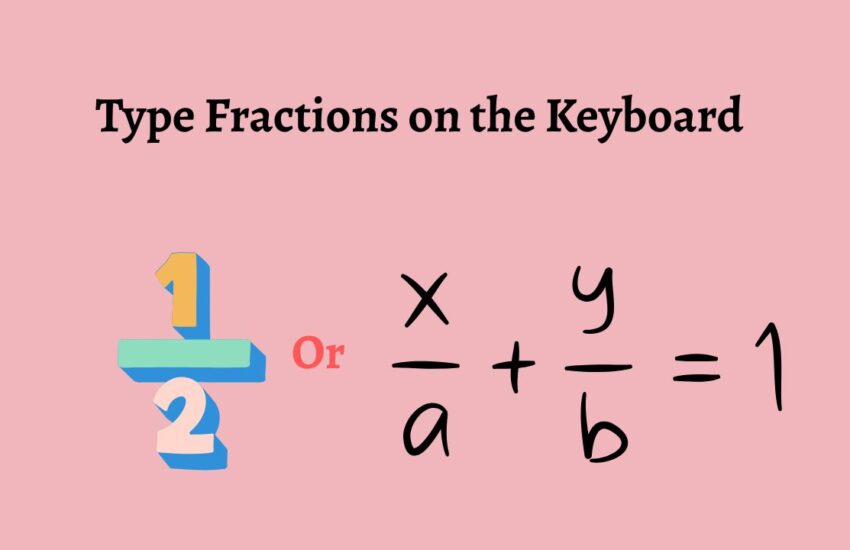
Type Fractions on the Keyboard
July 1, 2026 Guide

Type Fractions on the Keyboard

Fractions are commonly used in school assignments, business documents, spreadsheets, recipes, engineering calculations, and everyday communication. While typing regular numbers

Continue reading
How to Enable StreetView/Streetside in Bing Maps
March 31, 2026 How To

How to Enable StreetView (Streetside) in Bing Maps?

Bing Maps does not label its street-level feature as “Street View”. Instead, it is called “Streetside”. This is why many

Continue reading
Printer is Printing Landscape Not Portrait
March 30, 2026 How to Fix

Fix Printer is Printing Landscape Not Portrait

Ever hit print expecting a clean, upright document, only to watch your printer spit it out sideways? Yeah, it’s one

Continue reading

Posts pagination

«Previous Posts 1 … 11 12 13 14 15 … 20 Next Posts»

Latest Posts

  • Fix Microsoft Edge WebView2 (msedgewebview2.exe) Consuming High Memory
  • Safari Keeps Rewinding Videos: Fix It on Mac, iPhone, and iPad
  • How to Block Pop-ups on Brave Browser (Windows, Mac, and Mobile)
  • Classic Indented View Doesn’t Work in Outlook: How to Fix It
  • Fastest Windows Browser in 2026: Which Browser Should You Use?
  • Fix (MsMpEng.exe) Antimalware Service Executable High Memory Usage
  • Boost Download Speed in Chrome on Windows & Mac
  • Pinterest Not Working in Chrome but Fine on Edge? Try This!
  • Why Is My Cursor White in Word? How do I Fix It?
  • Automatic Repair Couldn’t Repair Your PC in Windows 11? Try This!

DMCA.com Protection Status

Note: All Tradmarks and Logos are used on this website for information purpose only.

Rights Reserved |2020-2026|@ Tech Tips Now