Skip to content
Tech Tips Now

TechTipsNow – Tips, News, Tricks, and Error Fixing.

  • News
    • Updates & Patch Note
  • How To
  • Opinions
  • Firmware
    • Device Type
      • Phone
      • TV
      • Others
  • Guide
  • Keyboard Shortcuts
  • How to Fix
  • About Us
    • Contact Us
    • Privacy Policy

Home » Page 17

  • List of Stop Codes on Windows [Potential Causes & Solutions]
    August 4, 2026 Tech Tips Now

    List of Stop Codes on Windows [Potential Causes & Solutions]

    Nothing is more frustrating than working on your Windows PC only to have it suddenly crash and display a blue

    Continue reading
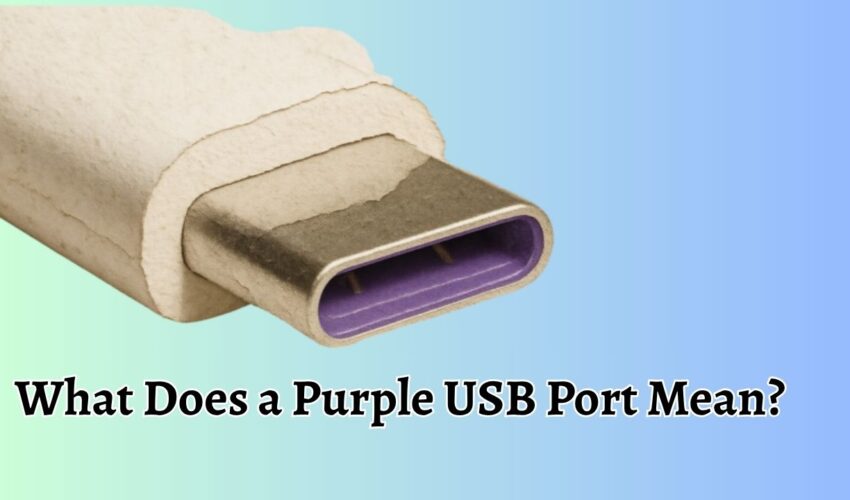

  • What Does a Purple USB Port Mean
    June 16, 2026 Tech Tips Now

    What does a Purple USB Port Mean?

    USB ports come in different colors, and each color often indicates a specific function, speed, or feature supported by the

    Continue reading
  • Best Ways To Earn Free Microsoft Rewards Points
    June 2, 2026 Tech Tips Now

    10 Best Ways To Earn Free Microsoft Rewards Points

    Microsoft Rewards is a free loyalty program that allows users to earn points by using Microsoft products and services. These

    Continue reading
  • Windows 12
    May 4, 2026 Tech Tips Now

    Windows 12: Rumors, Features, Release Date, Pricing, and More

    The next major version of Windows has become one of the most talked-about topics in the tech world. While “Windows

    Continue reading
  • Teams Right-Click Pasting Not Working How to Fix
    April 21, 2026 Tech Tips Now

    Teams Right Click Paste Not Working After Latest Edge Update [Fix]

    When working in Microsoft Teams, small usability features like right-click paste can significantly impact daily productivity. Many users rely on

    Continue reading
  • Fake Phonepe
    January 13, 2026 Tech Tips Now

    Fake PhonePe APK 2026 [Guide with Tips]

    Digital payments have become the backbone of India’s economy, and apps like PhonePe play a vital role in making money

    Continue reading
  • Upgrade to Windows 11 25H2
    September 2, 2025 Tech Tips Now

    How to Upgrade to Windows 11 25H2 [4 Easy Methods]

    Windows 11 version 25H2 is almost finalized, meaning users can expect Microsoft to begin the rollout of this annual update

    Continue reading
  • YouTube Criticized for Using AI
    August 26, 2025 Tech Tips Now

    YouTube Criticized for Secret AI Enhancements on Videos Without Creator Consent

    Artificial intelligence has become a common tool for improving writing, photos, and videos. Now, YouTube is under fire for quietly

    Continue reading
  • Microsoft 365 new admin feature
    August 25, 2025 Tech Tips Now

    Microsoft 365 Rolls Out New Admin Feature to Govern Link Creation Policies

    Microsoft 365 is rolling out a significant new admin control feature in mid-September 2025 that will enable IT administrators to

    Continue reading
  • Best AI Tools for Legal Drafting
    August 18, 2025 Tech Tips Now

    11 Best AI for Legal Drafting With Useful Prompts and Ethics [Free & Paid]

    Artificial Intelligence is transforming the way legal professionals create and manage documents. Drafting agreements, pleadings, and compliance documents has always

    Continue reading

All Articles

Manually Install Windows Updates from CAB and MSU Files
October 2, 2026 Guide

Manually Install Windows Updates from CAB and MSU Files

Manually installing Windows updates from MSU and CAB files can be useful when Windows Update is not installing a particular

Continue reading

Files Are Deleting Automatically From OneDrive
October 2, 2026 How to Fix

Files Are Deleting Automatically From OneDrive

When files are deleting automatically from OneDrive, the first priority is figuring out whether they are actually being deleted or

Continue reading
Check for Updates Button Greyed Out in Windows 11
October 2, 2026 How to Fix

Check for Updates Button Greyed Out in Windows 11 [Fix It]

Windows 11 normally lets you check for the latest Windows updates from the Windows Update page. You simply open Settings,

Continue reading
Windows Is Stuck on Working on Updates
October 2, 2026 How to Fix

Windows Is Stuck on “Working on Updates”

The “Working on updates” message normally appears when Windows is applying updates to the operating system. During this process, Windows

Continue reading
Adjusting Deep Sleep Mode Settings on a Brother Printer
October 1, 2026 Guide

Adjusting Deep Sleep Mode Settings on a Brother Printer

Deep Sleep Mode is a power-saving state that Brother printers can use when they have been inactive for a period

Continue reading
Allow Anonymous Access to a Shared Folder or Printer on Windows 11 or 10
October 1, 2026 How To

Allow Anonymous Access to a Shared Folder or Printer on Windows 11/10

Sharing a folder or printer across computers can make it much easier to work with files and devices on a

Continue reading
Bypass TPM on Windows 11 While Upgrading with Unsupported Hardware
October 1, 2026 How To

Bypass TPM on Windows 11 While Upgrading with Unsupported Hardware

Windows 11 has stricter hardware requirements than Windows 10, including TPM 2.0, Secure Boot capability, and a supported processor. If

Continue reading
Canon Printer Code 5200 on G7020 & Other Models [Fix]
October 1, 2026 How to Fix

Canon Printer Code 5200 on G7020 & Other Models

Seeing Canon Printer Code 5200 on your PIXMA G7020 can be frustrating, especially when the printer suddenly stops printing or

Continue reading
Enable or Disable Driver Signature Enforcement (DSE) on Windows 11
October 1, 2026 How To

Enable or Disable Driver Signature Enforcement (DSE) on Windows 11

Driver Signature Enforcement checks whether a Windows driver has been digitally signed. A digital signature helps Windows identify the publisher

Continue reading
Download & Install Realtek GbE Family Controller Driver on PC (Windows 1110)
October 1, 2026 Guide

Download & Install Realtek GbE Family Controller Driver on PC (Windows 11/10)

The Realtek GbE Family Controller is a network adapter used by many desktop computers and laptops to provide a wired

Continue reading
Fix Yellow Border Around Screen in Windows 11 or 10
October 1, 2026 How to Fix

Fix Yellow Border Around Screen in Windows 11/10

Seeing a yellow border around your screen in Windows 10 or Windows 11 can be confusing, especially when you have

Continue reading
How to Cascade Windows in Windows 11
October 1, 2026 Guide

How to Cascade Windows in Windows 11?

When you have several apps or File Explorer windows open at the same time, your Windows 11 desktop can quickly

Continue reading

Posts pagination

«Previous Posts 1 … 15 16 17 18 19 … 189 Next Posts»

Latest Posts

  • 8 Best Wi-Fi Signal Management Devices for Home & Office in 2026
  • How to View All Unread Emails on Yahoo
  • Windows Security App White Screen in Windows 11 [Fix]
  • What Is the AppData Folder in Windows and How to Clean It Up? [Complete Guide]
  • Steam Games Black Screen on Launch: How to Fix It
  • Restricting Logon Hours for Active Directory Users in Windows [Guide]
  • How to Use Sysprep in Windows 11
  • Fix ‘Sound, Video and Game Controllers Not Showing’ in Windows 11/10
  • Disable or Enable Windows Update Automatically [Complete Guide]
  • Access BitLocker Recovery Keys in Active Directory [Guide]

DMCA.com Protection Status

Note: All Tradmarks and Logos are used on this website for information purpose only.

Rights Reserved |2020-2026|@ Tech Tips Now