Skip to content
Tech Tips Now

TechTipsNow – Tips, News, Tricks, and Error Fixing.

  • News
    • Updates & Patch Note
  • How To
  • Opinions
  • Firmware
    • Device Type
      • Phone
      • TV
      • Others
  • Guide
  • Keyboard Shortcuts
  • How to Fix
  • About Us
    • Contact Us
    • Privacy Policy

Home » Page 3

  • List of Stop Codes on Windows [Potential Causes & Solutions]
    August 4, 2026 Tech Tips Now

    List of Stop Codes on Windows [Potential Causes & Solutions]

    Nothing is more frustrating than working on your Windows PC only to have it suddenly crash and display a blue

    Continue reading
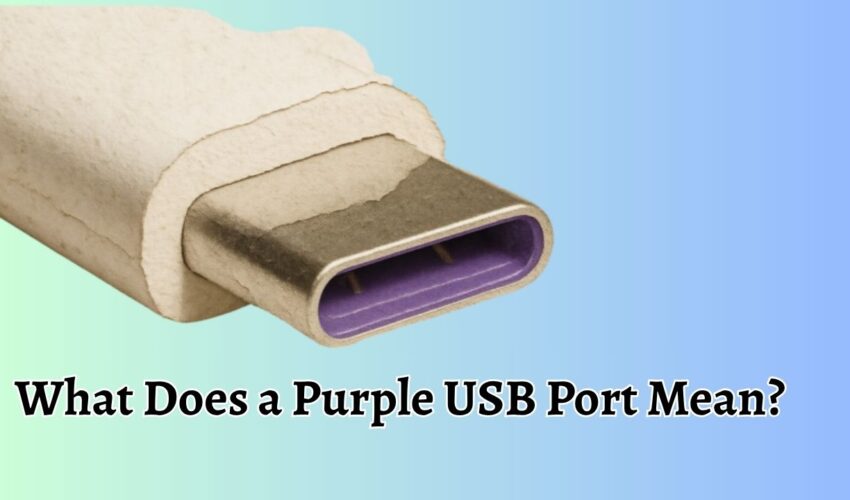

  • What Does a Purple USB Port Mean
    June 16, 2026 Tech Tips Now

    What does a Purple USB Port Mean?

    USB ports come in different colors, and each color often indicates a specific function, speed, or feature supported by the

    Continue reading
  • Best Ways To Earn Free Microsoft Rewards Points
    June 2, 2026 Tech Tips Now

    10 Best Ways To Earn Free Microsoft Rewards Points

    Microsoft Rewards is a free loyalty program that allows users to earn points by using Microsoft products and services. These

    Continue reading
  • Windows 12
    May 4, 2026 Tech Tips Now

    Windows 12: Rumors, Features, Release Date, Pricing, and More

    The next major version of Windows has become one of the most talked-about topics in the tech world. While “Windows

    Continue reading
  • Teams Right-Click Pasting Not Working How to Fix
    April 21, 2026 Tech Tips Now

    Teams Right Click Paste Not Working After Latest Edge Update [Fix]

    When working in Microsoft Teams, small usability features like right-click paste can significantly impact daily productivity. Many users rely on

    Continue reading
  • Fake Phonepe
    January 13, 2026 Tech Tips Now

    Fake PhonePe APK 2026 [Guide with Tips]

    Digital payments have become the backbone of India’s economy, and apps like PhonePe play a vital role in making money

    Continue reading
  • Upgrade to Windows 11 25H2
    September 2, 2025 Tech Tips Now

    How to Upgrade to Windows 11 25H2 [4 Easy Methods]

    Windows 11 version 25H2 is almost finalized, meaning users can expect Microsoft to begin the rollout of this annual update

    Continue reading
  • YouTube Criticized for Using AI
    August 26, 2025 Tech Tips Now

    YouTube Criticized for Secret AI Enhancements on Videos Without Creator Consent

    Artificial intelligence has become a common tool for improving writing, photos, and videos. Now, YouTube is under fire for quietly

    Continue reading
  • Microsoft 365 new admin feature
    August 25, 2025 Tech Tips Now

    Microsoft 365 Rolls Out New Admin Feature to Govern Link Creation Policies

    Microsoft 365 is rolling out a significant new admin control feature in mid-September 2025 that will enable IT administrators to

    Continue reading
  • Best AI Tools for Legal Drafting
    August 18, 2025 Tech Tips Now

    11 Best AI for Legal Drafting With Useful Prompts and Ethics [Free & Paid]

    Artificial Intelligence is transforming the way legal professionals create and manage documents. Drafting agreements, pleadings, and compliance documents has always

    Continue reading

All Articles

Failed to Edit Message on ChatGPT
November 8, 2026 How to Fix

Failed to Edit Message on ChatGPT: How to Fix It

When you edit a message, ChatGPT needs to load the conversation, recognize the message you selected, and process your changes.

Continue reading


See Active Directory Users and Computers in Windows 11_10
November 8, 2026 How To

See Active Directory Users and Computers in Windows 11/10

Active Directory Users and Computers is part of the Microsoft Management Console (MMC). It provides a graphical interface for administrators

Continue reading
Windows Search Bar Not Working in Windows 11_10
November 8, 2026 Uncategorized

Windows Search Bar Not Working in Windows 11/10 [Fix]

The Windows Search Bar is one of the most useful features in Windows 11 and Windows 10. Whether you want

Continue reading
Ctrl + F Not Working in Excel
November 6, 2026 How to Fix

Ctrl + F Not Working in Excel?

Microsoft Excel makes it easy to find specific words, numbers, names, and other information in a worksheet. Instead of scrolling

Continue reading
Computer Restarted and Everything Is Gone in Windows 11_10
November 6, 2026 How to Fix

Computer Restarted and Everything Is Gone in Windows 11/10

If you have noticed that everything disappearing after a computer restart does not necessarily mean your data has been permanently

Continue reading
Change Your Google Account Region
November 6, 2026 Guide

Change Your Google Account Region

Google doesn’t offer one universal country or region switch that changes everything across your account. Your Google Play country, Google

Continue reading
How to Activate Office 365 on Windows 11_10
November 6, 2026 How To

How to Activate Office 365 on Windows 11/10: Step-by-Step Guide

Microsoft Office 365, now commonly marketed as Microsoft 365, gives you access to essential productivity applications such as Word, Excel,

Continue reading
USB Headset Not Detected, Connecting, or Working on PC [Windows & Mac]
November 6, 2026 How to Fix

USB Headset Not Detected, Connecting, or Working on PC [Windows & Mac]

A USB headset is a convenient way to enjoy clear audio, attend online meetings, play games, and communicate with friends

Continue reading
NVIDIA FPS Counter Says N_A on Desktop
November 6, 2026 How to Fix

NVIDIA FPS Counter Says N/A on Desktop: How to Fix It in Windows 11/10

The NVIDIA FPS counter relies on graphics rendering information to calculate how many frames an application produces. Games typically render

Continue reading
Enable Automatic Updates for Microsoft Office
November 6, 2026 Guide

Enable Automatic Updates for Microsoft Office 365

Keeping Microsoft Office updated is important if you regularly use applications like Microsoft Word, Excel, PowerPoint, Outlook, and OneNote. Microsoft

Continue reading
How to Run a Microsoft Office 365 Repair in Windows 11_10
November 6, 2026 How To

How to Run a Microsoft Office 365 Repair in Windows 11/10

If Microsoft 365 applications aren’t working properly, repairing the installation is one of the easiest troubleshooting methods to try. Windows

Continue reading
Check SSD Health in Windows 11_10
November 5, 2026 How To

Check SSD Health in Windows 11/10

Your Solid-State Drive (SSD) is one of the most important components of your computer. It stores Windows, applications, games, personal

Continue reading

Posts pagination

«Previous Posts 1 2 3 4 5 … 194 Next Posts»

Latest Posts

  • Your Device Ran Into a Problem and Couldn’t Be Repaired
  • Fix “You Require Permission From System to Make Changes to This Folder” in Windows 11/10
  • How to Add Grammarly to Microsoft Word [Windows & Mac]
  • Display Stuck at 1024×768 in Windows 11/10
  • How to Change Virtual Memory (Paging File) in Windows 11
  • Background Intelligent Transfer Service (BITS) in Windows: Everything You Need to Know
  • DISM /Online /Cleanup-Image /RestoreHealth [Guide]
  • VMware Unlocker for PC (macOS): Download & Use
  • How to Get Help in Windows 11? [10 Ways]
  • Set Your Preferred Default Printer in Windows 11 or 10

DMCA.com Protection Status

Note: All Tradmarks and Logos are used on this website for information purpose only.

Rights Reserved |2020-2026|@ Tech Tips Now