
Few things are more frustrating than placing your Oura Ring on the charger, expecting it to last several days, only to discover the battery drains within hours or refuses to hold a charge at all. Since the Oura Ring tracks your sleep, activity, heart rate, body temperature, and readiness score, a charging problem can interrupt your health tracking and leave you without valuable insights.
In many cases, the problem is caused by a software glitch, a dirty charging dock, outdated firmware, poor charging habits, or even environmental conditions. Most of these issues can be fixed without replacing the ring.
Let’s identify the cause and get your Oura Ring charging and holding power normally again.
Oura Ring Is Not Holding Charge: Try These Solutions
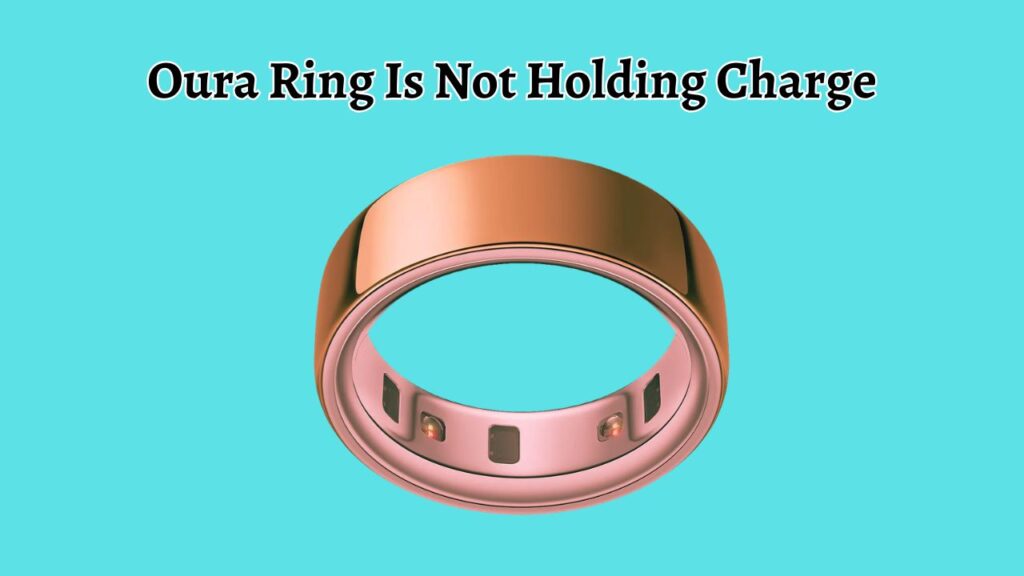
If your Oura Ring is not holding a charge, start by checking the battery level, cleaning the charging contacts, using the original charger, restarting the ring, updating the firmware, and allowing the battery to complete a full charging cycle. If the battery still drains unusually fast after trying these solutions, check the battery health through the Oura App and contact Oura Support for further assistance.
Going through the following steps in order gives you the best chance of solving the problem without needing a replacement.
Step 1: Confirm That the Battery Is Actually Draining Quickly
The first thing you should do is verify whether the battery is actually losing power faster than normal. Sometimes the battery percentage displayed in the app may not refresh correctly until the ring syncs completely.
Open the Oura App on your phone and allow the ring to synchronize. Check the current battery percentage and note how quickly it decreases over several hours of normal use. A healthy battery generally lasts several days, depending on your ring model and enabled features.
If the battery drops dramatically within a few hours without heavy usage, continue with the remaining troubleshooting steps.
Step 2: Inspect the Charging Dock and Ring Contacts
A poor connection between the Oura Ring and its charging dock is one of the most common reasons for charging problems.
Remove the ring from the charger and carefully inspect both the charging dock and the charging contacts. Even a thin layer of dust, skin oils, or debris can prevent proper electrical contact.
Use a soft microfiber cloth to gently clean both the ring and the charger. If necessary, lightly dampen the cloth with a small amount of water. Make sure everything is completely dry before charging again.
Once cleaned, place the ring back onto the charger and confirm that the charging indicator appears correctly.
Step 3: Use the Original Charging Cable and Power Adapter
Not every USB charger delivers stable power. Some third-party charging accessories produce inconsistent voltage, which can prevent the battery from charging properly.
Always use the official Oura charging dock together with a reliable USB power source. Connecting the charger directly to a quality wall adapter or a trusted computer USB port usually provides better charging stability than inexpensive USB hubs.
If possible, test another charging cable or another compatible USB adapter to eliminate the possibility of a faulty power source.
Step 4: Make Sure the Ring Is Properly Seated on the Charger
Even if the ring appears to be sitting correctly, slight misalignment may interrupt charging.
Remove the ring from the dock and carefully place it back onto the charging base. Rotate it slightly until it sits securely in its correct position.
Wait several seconds and verify that charging begins. Leave the ring untouched for a few minutes to ensure the charging process remains stable.
A loose connection may repeatedly stop and restart charging without you noticing.
Step 5: Let the Battery Complete a Full Charging Cycle
Lithium-ion batteries sometimes benefit from completing a full charging cycle after experiencing inaccurate battery readings.
Allow the ring to discharge until the battery becomes very low. Then place it on the charger and let it charge uninterrupted until it reaches 100 percent.
Avoid removing the ring repeatedly during charging. Once fully charged, wear it normally and observe whether battery life improves over the next several days.
This process can help recalibrate the battery indicator if the reported percentage has become inaccurate.
Step 6: Restart Your Oura Ring
Like many wearable devices, the Oura Ring occasionally experiences temporary software glitches that affect charging behavior.
Open the Oura App, navigate to your ring settings, and use the available option to restart the device if supported by your ring model.
After restarting, reconnect the ring to your phone and monitor the battery performance over the next day or two.
A simple restart often clears temporary communication issues between the hardware and software.
Step 7: Update the Oura App and Ring Firmware
Running outdated software may introduce bugs that affect battery performance or charging accuracy.
Visit your phone’s app store and make sure the Oura App is fully updated.
Next, check whether a new firmware update is available for your ring. Firmware updates frequently include improvements for battery management, charging stability, and overall system performance.
Install any available updates and allow the process to finish completely before using the ring again.
Keeping both the app and firmware current ensures your device benefits from the latest fixes.
Step 8: Reduce Features That Consume Extra Battery
Several advanced features continuously collect health information, which naturally increases battery usage.
If you notice unusually fast battery drain, temporarily reduce unnecessary background activity and observe whether battery life improves.
After making adjustments, continue wearing the ring normally for several days. Comparing battery performance before and after these changes helps determine whether certain features are consuming more power than expected.
While these features are designed to balance accuracy with efficiency, every user’s usage pattern is different.
Step 9: Avoid Charging in Extreme Temperatures
Battery performance is strongly affected by temperature.
Charging your Oura Ring in environments that are extremely hot or very cold can reduce charging efficiency and temporarily affect battery capacity.
Charge the ring indoors at normal room temperature whenever possible. If the ring has become unusually warm after exercise or direct sunlight exposure, allow it to cool before placing it on the charger.
Likewise, if the ring has been exposed to cold weather, let it return to room temperature before charging.
Maintaining moderate temperatures helps preserve long-term battery health.
Step 10: Check the Battery Health Over Several Days
Do not judge battery performance immediately after completing one troubleshooting step.
Instead, monitor the battery over several complete charging cycles. Note how many days the battery lasts with your normal routine.
If the ring consistently loses a large percentage of charge overnight or while sitting idle, the battery itself may be degrading.
Comparing battery behavior across multiple days provides a much clearer picture than relying on a single charging session.
Step 11: Reset the Ring if Recommended
If software-related issues continue after trying every other solution, resetting the ring may resolve deeper configuration problems.
Before resetting, ensure that your health data has synchronized with the Oura App.
Complete the reset process through the app according to the available settings. After setup is complete, pair the ring again and monitor its charging performance.
Because a reset removes certain stored settings, it should generally be used after simpler troubleshooting methods have been attempted.
Step 12: Contact Oura Support for Battery Evaluation
If your Oura Ring still cannot hold a charge after completing every troubleshooting step, the battery may have developed a hardware fault.
Contact Oura Support and explain the issue in detail. Be prepared to provide your ring model, firmware version, battery behavior, and the troubleshooting steps you have already completed.
If the battery is defective and your ring is still covered under warranty, you may qualify for repair or replacement depending on your situation.
Providing complete information helps the support team diagnose the problem much faster.
FAQs
Why is my Oura Ring battery draining so fast?
The battery may drain quickly because of outdated firmware, charging issues, excessive background activity, aging battery cells, or temporary software glitches. Working through each troubleshooting step usually identifies the cause.
How long should an Oura Ring battery last?
Most Oura Ring models are designed to last several days on a full charge, although actual battery life depends on the ring generation, enabled features, firmware version, and daily usage.
Can I leave my Oura Ring on the charger overnight?
Yes. The ring includes battery management features that help prevent overcharging during normal use. However, regularly charging it before the battery becomes completely empty may help maintain long-term battery health.
Does cold weather affect the Oura Ring battery?
Yes. Very cold temperatures can temporarily reduce battery performance and make the battery appear to drain faster. Battery life usually returns to normal once the ring reaches a moderate temperature.
When should I replace my Oura Ring?
If your ring continues losing charge rapidly after cleaning the charger, updating the firmware, restarting the device, completing a full charging cycle, and contacting support, the battery may have reached the end of its usable lifespan or developed a hardware issue.
Summary
A battery that refuses to hold a charge does not automatically mean your Oura Ring needs to be replaced. In many cases, the issue is related to dirty charging contacts, incorrect charger alignment, outdated firmware, software glitches, or charging habits that can be corrected in just a few minutes.
By carefully following each step in this guide, you can systematically eliminate the most common causes of battery problems. Start with the simplest fixes, such as cleaning the charger and verifying the charging connection, before moving on to software updates, battery recalibration, and resets.
If the battery still performs poorly after completing every solution, contacting Oura Support is the best next step to determine whether a repair or replacement is necessary.
With proper maintenance and charging practices, your Oura Ring can continue delivering reliable health tracking and consistent battery performance.