
If you’re looking for an external SSD to store your photos, videos, games, documents, or work files, you’ve probably come across ADATA. The brand offers several portable solid-state drives at different prices, but the big question is simple: Is an ADATA external SSD worth buying, or should you spend your money on another brand?
My take is that ADATA external SSDs can be a good value for the money, especially if you want fast storage in a compact design without paying extra for a premium name. However, not every model is right for every user. Performance, durability, connection type, storage capacity, and price all matter.
For example, the ADATA SE880 targets people who want a tiny, high-speed drive, while the SD810 offers high transfer speeds along with rated resistance to water, dust, and drops. The SE920 goes a step further with USB4 connectivity for users who need much higher transfer speeds.
So, before you buy one, let’s look at what makes these drives worth considering, where they fall short, and how to choose the right model for your needs.
Is ADATA External SSD Worth It or Not? My Personal View
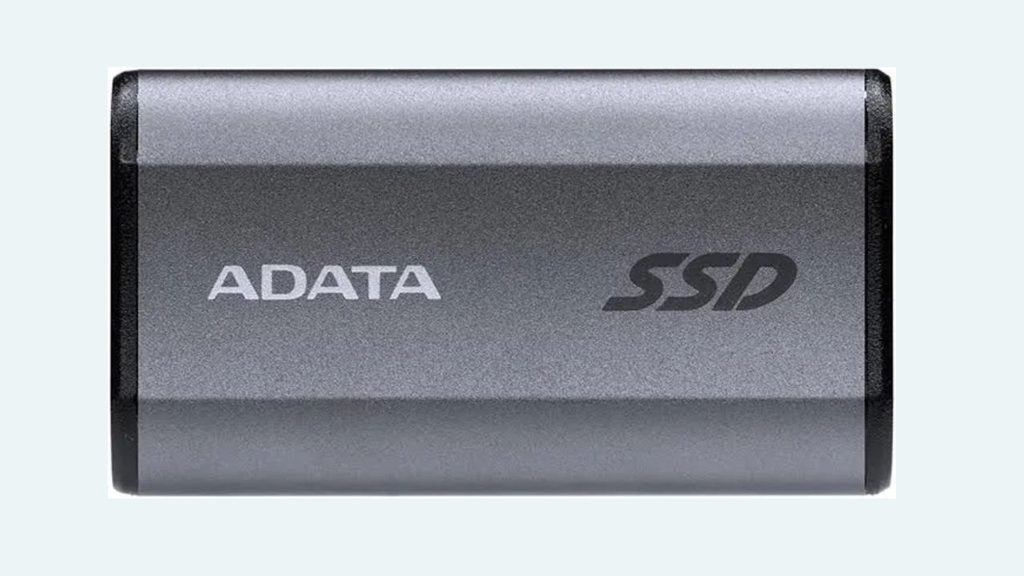
Yes, an ADATA external SSD can be worth it, but the specific model and its price make all the difference. I wouldn’t recommend buying one just because the advertised speed looks impressive or the price seems low.
Here’s how I’d approach the decision step by step.
Step 1: Check the Speed You Actually Need
One of ADATA’s biggest selling points is performance. Certain models, including the SE880 and SD810, advertise sequential read and write speeds of up to 2,000 MB/s. The SE920 advertises up to 3,800 MB/s read and 3,700 MB/s write speeds under suitable USB4 conditions.
Those numbers sound great, but here’s the catch: your computer’s USB port determines how much of that speed you can actually use.
For everyday tasks such as storing documents, backing up photos, and transferring smaller files, you probably don’t need the fastest external SSD available.
However, if you regularly move large video files, edit media directly from external storage, or work with large project folders, a faster drive can save you time.
My advice is to check your computer’s port specifications before paying extra for high-speed performance.
Step 2: Choose the Right ADATA Model
Not every ADATA external SSD is designed for the same job.
The ADATA Elite SE880 is a compact option for people who prioritize portability and speed. It supports USB 3.2 Gen 2×2, with advertised speeds of up to 2,000 MB/s. Keep in mind that you need compatible hardware to reach its maximum performance.
The ADATA SD810 is worth considering if you want fast storage with additional environmental protection. Its specifications include an IP68 rating for water and dust resistance and drop resistance under the manufacturer’s stated testing conditions.
The ADATA SE920 is aimed at users who need even higher performance. Its USB4 interface supports advertised read speeds of up to 3,800 MB/s, making it an interesting option for demanding creative workloads.
The key is to buy for your actual workload instead of automatically choosing the most expensive model.
Step 3: Consider the Build Quality
An external SSD is meant to travel with you, so durability matters.
ADATA offers models with different enclosure designs and protection levels. The SD810, for example, has stronger stated environmental protection than a basic portable drive. However, you shouldn’t assume every ADATA SSD is waterproof, dustproof, or drop-resistant.
A compact drive is convenient, but small size alone doesn’t guarantee ruggedness.
If you’re carrying your SSD between work, school, and home, a standard model may be perfectly suitable. If you work outdoors or travel frequently, I’d pay closer attention to the drive’s protection rating and the manufacturer’s handling instructions.
Never treat water resistance or drop resistance as a guarantee that your data will survive every accident.
Step 4: Compare the Price With Other Brands
This is where buying an ADATA SSD gets interesting.
ADATA competes with established external storage brands, including Samsung, Crucial, Kingston, and SanDisk. Whether it offers better value depends on the exact model, capacity, warranty, and current selling price.
Don’t compare only the advertised speed. Look at the cost per terabyte, sustained transfer performance, protection features, warranty coverage, and included cables.
For instance, a drive advertising 2,000 MB/s might not maintain that speed during a very large transfer. Independent testing of the SE880 has shown that sustained write performance can fall considerably after its fast cache is exhausted.
That doesn’t automatically make the drive a bad purchase. It simply means peak speed and sustained speed are two different things.
I’d compare at least two or three similarly priced models before making a final decision.
Step 5: Check Compatibility With Your Devices
ADATA external SSDs support a range of devices, but compatibility depends on the particular model, operating system, connection, and intended use.
Before buying, check whether the drive works with your Windows PC, Mac, Android device, tablet, or gaming console.
Also, remember that a USB-C connector doesn’t automatically mean your device supports the drive’s maximum speed. The port’s supported USB standard matters.
If you plan to use the drive with a phone, check whether your phone supports external storage and whether it can supply sufficient power. If you want to use it with a console, verify the console’s storage requirements and limitations.
Compatibility should be confirmed before purchase, not after the package arrives.
Step 6: Think About Data Security
An external SSD can store personal photographs, business documents, financial records, and other sensitive files. That’s why security deserves attention.
Some ADATA models may lack hardware encryption, so check the specific model’s security features if you intend to store confidential information.
You can also use compatible software-based encryption, depending on your operating system and requirements.
Most importantly, don’t rely on one external drive as your only copy of important files. SSDs can fail, become damaged, or get lost.
My recommendation is to keep at least one additional backup of anything you can’t afford to lose.
Step 7: Check the Warranty and Buy From a Reliable Seller
ADATA offers limited warranties on various external SSD models, with some products carrying a five-year limited warranty. The exact terms depend on the model and region.
Before purchasing, confirm the warranty period, local support availability, return policy, and whether the seller is authorized.
Be careful with unusually cheap listings, especially if the seller has limited feedback or the product’s specifications seem inconsistent.
A good price isn’t much of a bargain if you receive a counterfeit, damaged, or incorrectly advertised product.
Step 8: Decide Whether It’s Worth Your Money
Here’s my final buying test.
If you need portable storage for everyday backups, documents, photographs, and occasional large file transfers, an ADATA external SSD can be a sensible purchase.
If you regularly edit high-resolution video, transfer hundreds of gigabytes, or run demanding workloads, compare sustained performance and thermal behavior before choosing a model.
If your priority is maximum durability, pay attention to the enclosure and protection rating rather than the brand name alone.
And if another reputable SSD offers better performance, more storage, or a stronger protection package for nearly the same price, there’s no reason to choose ADATA automatically.
My personal view is that ADATA is worth considering, but the best purchase is the model that delivers the right combination of speed, reliability, protection, and price.
FAQs
Is ADATA a good brand for external SSDs?
ADATA is an established storage manufacturer that sells external SSDs across several performance and price categories. Its products can offer competitive specifications, but individual models have different strengths and weaknesses. Evaluate the exact drive rather than assuming every model performs equally well.
How long does an ADATA external SSD last?
There isn’t one fixed lifespan for every model. Longevity depends on flash memory, write workload, temperature, handling, and other factors. A drive’s warranty doesn’t guarantee that it will last for that entire period or that your data will always remain accessible.
Is ADATA better than Samsung or SanDisk?
Not in every situation. One ADATA model might offer better value, while a Samsung or SanDisk model may provide a more suitable combination of performance, protection, or features. Compare similar capacities and specifications at their current prices before deciding.
Can I use an ADATA external SSD for gaming?
Yes, compatible ADATA external SSDs can be useful for storing games and transferring game files. However, the games you can play directly from external storage depend on your platform. Check your console or computer’s requirements before buying.
Is an ADATA SSD good for video editing?
It can be, especially if you choose a fast model and your computer supports the necessary connection standard. For large editing projects, check sustained write speeds, heat management, and real-world performance rather than relying entirely on advertised maximum speeds.
Is the ADATA SD810 waterproof?
The SD810 carries an IP68 rating for water and dust resistance. That rating applies under specified testing conditions, so follow the manufacturer’s instructions and don’t assume the drive can withstand every type of water exposure or accident.
Should I buy a 1TB or 2TB ADATA external SSD?
A 1TB drive may be enough for documents, photos, and a moderate collection of files. A 2TB drive makes more sense if you work with large videos, maintain extensive backups, or want room for a growing game library. Compare the price difference before deciding.
Can an ADATA external SSD fail?
Yes. Like any storage device, an ADATA SSD can fail because of electronic faults, physical damage, wear, or other problems. Keep separate backups of important data, regardless of which brand you choose.
Final Thoughts
So, is an ADATA external SSD worth it or not? My answer is yes, provided you choose the right model at a competitive price.
ADATA offers options for different needs, from the compact SE880 to the more rugged SD810 and the high-speed SE920. Each has a different purpose, so the smartest choice depends on how you plan to use it.
Don’t get distracted by impressive speed numbers alone. Check your device’s compatibility, compare real-world performance, consider the protection features, and read the warranty terms before spending your money.
If you mainly need portable storage for everyday files and backups, an affordable ADATA SSD may be all you need. If you handle demanding creative work or regularly transfer huge files, take a closer look at sustained performance and competing models.
My final recommendation is simple: buy an ADATA external SSD when its specific features and price make sense for your needs, not just because it looks fast on paper.
And whichever drive you choose, maintain a second copy of your important files. That’s the best way to protect your data over the long term.