
When you use a computer, smartphone, printer, router, smart TV, or another electronic device, you interact with different types of programs. Two terms you will often hear are software and firmware. Although both are made from code and help electronic devices perform specific tasks, they are not the same thing.
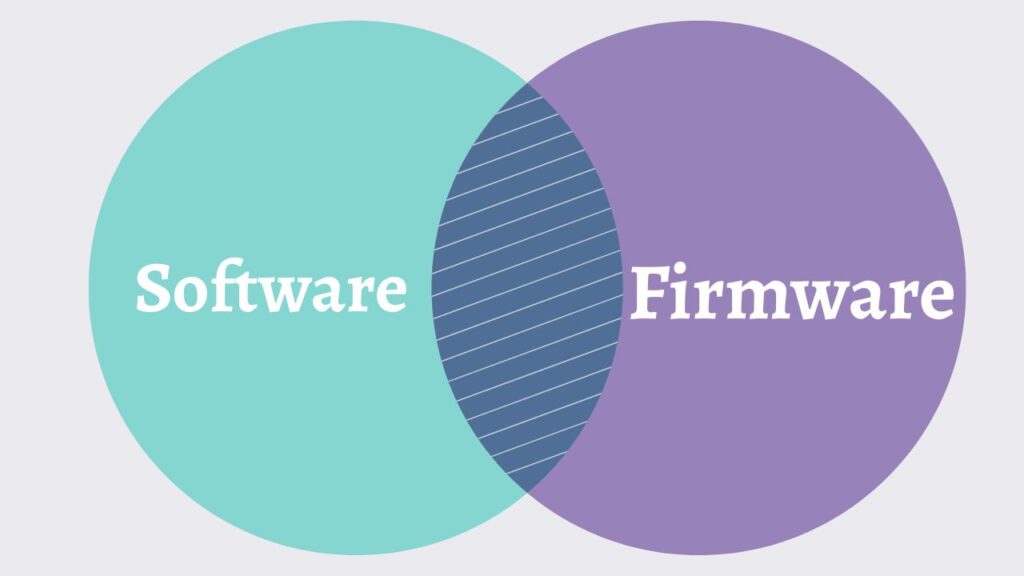
The easiest way to understand the difference is to think about where the program works and how often it normally changes. Software usually runs on top of an operating system or directly on a computer and can be installed, updated, removed, or replaced relatively easily. Firmware, on the other hand, is specialized software stored in a device’s hardware memory that helps control the hardware itself.
For example, Windows 11 is software that provides a complete operating environment for your PC. A printer’s internal program that controls how it communicates with its print mechanism is generally considered firmware.
Understanding the difference between software and firmware can help you troubleshoot devices, install updates correctly, and avoid making changes that could cause hardware problems.
Difference Between Software and Firmware [Quick Table]
| Feature | Software | Firmware |
| Main purpose | Performs user or system tasks | Controls and operates hardware |
| Where it runs | Operating system, computer, phone, or other platform | Directly on or closely tied to hardware |
| Storage | SSD, HDD, flash storage, or other storage | Usually non-volatile memory such as flash memory |
| Updates | Usually frequent | Usually less frequent |
| Installation | Usually straightforward | Often device-specific |
| Removal | Often possible | Usually not normally removed |
| Examples | Windows, Chrome, Photoshop, VLC | Router firmware, BIOS/UEFI firmware, printer firmware |
| Hardware dependency | Can often work across different hardware | Closely associated with specific hardware |
| Update risk | Generally lower | Can be higher if interrupted or incorrect |
Difference Between Software and Firmware [Complete Guide]
To understand the difference between software and firmware, remember that software is generally designed to perform tasks for users or other applications, while firmware is specialized code that provides low-level control over a hardware device. Software can usually be installed, updated, or removed more easily, whereas firmware is stored in non-volatile memory and is closely tied to the device’s hardware.
The following steps break down the difference so you can understand exactly how software and firmware work.
Understand What Software Is
Software is a collection of instructions that tells a computer or electronic device what tasks to perform. It can range from large operating systems to small applications.
For example, Windows 11, Microsoft Edge, Google Chrome, Microsoft Word, VLC Media Player, and Photoshop are all examples of software. When you open an application, the operating system loads the necessary software into memory so your computer can execute its instructions.
Software is generally designed to provide functionality that users can interact with directly. You can install a new application, update an existing application, or uninstall an application when you no longer need it.
On Windows, for example, you can navigate to Settings > Apps > Installed apps to view applications installed on your computer. From there, many applications can be modified or uninstalled.
This flexibility is one of the biggest differences between ordinary software and firmware.
Understand What Firmware Is
Firmware is specialized software that is closely connected to a device’s hardware. It provides the instructions needed for the hardware to perform its basic functions.
Think of firmware as a communication layer between the hardware and higher-level software. A printer, router, keyboard, SSD, motherboard, or smart TV may have firmware that controls how its physical components operate.
For example, when you turn on a router, its firmware initializes the hardware and provides the functionality needed to create and manage network connections. Without appropriate firmware, the physical components may not function correctly.
You typically do not interact with firmware the same way you interact with applications. Instead, it works quietly in the background.
Compare Where They Are Stored
Another important difference is where software and firmware are stored.
Regular software is commonly stored on your computer’s SSD or hard drive. When you launch an application, the operating system retrieves the required files and loads them into system memory.
Firmware is generally stored in non-volatile memory inside the device. This allows the device to retain its firmware even after you disconnect it from power.
For example, motherboard firmware is stored on a dedicated memory chip. This is why your PC can access its firmware before Windows starts.
You can typically access firmware-related settings on a Windows PC by going to Go to Settings > System > Recovery > Advanced startup > Restart now, although the exact route can vary by Windows version and manufacturer.
Understand How Updates Differ
Both software and firmware can receive updates, but the update process is usually different.
Software updates are commonly released to add features, improve performance, fix bugs, or address security vulnerabilities. Updating an application is generally straightforward because the operating system manages the installation process.
Firmware updates can also fix bugs, improve compatibility, strengthen security, and add functionality. However, firmware updates require more care because the firmware is directly associated with the device’s operation.
For example, a router manufacturer may release a firmware update that improves wireless stability. You would normally install it through the router’s administration interface by navigating to Go to Router Settings > Administration > Firmware Update or a similarly named section.
The exact menu depends on the manufacturer and model.
Understand Their Relationship With Hardware
The relationship with hardware is perhaps the most important distinction.
Software is usually more flexible. The same application can often run on multiple computers that meet its system requirements. For example, a web browser can run on thousands of different Windows PCs.
Firmware is much more hardware-specific. A firmware package designed for one router model may not work with another model, even if the devices look nearly identical.
This is why you should always verify the exact device model and hardware revision before installing firmware.
Installing the wrong firmware can potentially make a device unusable, a situation sometimes referred to as bricking the device.
Understand BIOS and UEFI as Firmware
A common example of firmware on a computer is BIOS or UEFI firmware.
When you turn on your PC, the firmware starts running before Windows loads. It performs hardware initialization and helps prepare the system to boot an operating system.
Modern computers generally use UEFI firmware, which replaced traditional BIOS implementations on most newer systems.
You can access firmware-related information in Windows by going to Go to Settings > System > About and checking system details, although manufacturer-specific firmware information may also be available through the BIOS or UEFI setup screen.
This demonstrates why firmware is fundamentally different from applications such as Chrome or Microsoft Word. Firmware helps the computer initialize and control its hardware before the operating system takes over.
Know When You Are Dealing With Software or Firmware
A simple way to identify what you are dealing with is to consider what the program controls and how you obtain it.
If you download an application to perform a task, such as editing photos, browsing the internet, or playing media, you are almost certainly dealing with software.
If you are updating the internal operating code of a router, printer, motherboard, SSD, camera, or other hardware device, you are probably dealing with firmware.
For example, updating Google Chrome is a software update. Updating the firmware on your Wi-Fi router is a firmware update.
This distinction matters because the procedures and risks can be very different.
FAQs
Is firmware a type of software?
Yes. Firmware is technically a type of software, but it is specialized for controlling or managing hardware. The term firmware is used to distinguish this low-level, hardware-oriented code from general-purpose applications and operating-system software.
Can firmware be updated?
Yes. Many modern devices support firmware updates. Manufacturers release them to fix bugs, improve compatibility, add features, or address security issues. Always use firmware specifically intended for your exact device model.
Is Windows software or firmware?
Windows is software, specifically an operating system. It manages computer resources and provides the environment where applications can run. Your PC’s BIOS or UEFI, in contrast, is firmware.
Is BIOS software or firmware?
BIOS is firmware. It is stored in non-volatile memory on the motherboard and performs low-level hardware initialization and boot-related functions.
Can firmware be deleted?
Firmware usually isn’t removed like a normal application. It is stored in dedicated non-volatile memory and is generally replaced or updated with another firmware version.
Which is more important, software or firmware?
Neither is universally more important. They serve different purposes. Firmware helps hardware operate correctly, while software provides operating-system and application functionality. A modern device often needs both to work properly.
Summary
The difference between software and firmware mainly comes down to their purpose, hardware relationship, and how they are managed. Software is generally designed to perform user-facing or system-level tasks and can usually be installed, updated, or removed with relative ease.
Firmware is specialized code that is closely tied to hardware and helps the device perform its fundamental functions. It is commonly stored in non-volatile memory and is updated less frequently than ordinary software.
A simple way to remember the distinction is this: software tells a device what tasks to perform, while firmware helps the hardware know how to operate.
Once you understand that relationship, terms such as firmware updates, BIOS, UEFI, router firmware, and printer firmware become much easier to understand.