
Choosing the right tablet for your business, school, or remote team is about more than screen size, battery life, and price. If your organization uses Google Workspace, you also need a tablet that works well with your management, security, and productivity requirements.
Google Workspace helps organizations manage email, documents, calendars, video meetings, and collaboration. However, managing the tablets employees or students use requires understanding how Google Workspace integrates with Android and iPad devices, as well as what additional management tools may be necessary.
The good news is that several popular tablets can work with Google Workspace. The important difference is that accessing Google Workspace apps is not the same as centrally managing a tablet. Features such as application controls, security policies, and device enrollment depend on your organization’s configuration and the management platform it uses.
In this guide, we’ll compare compatible tablets, explain their key features, and discuss their pros and cons.
Compatible Tablets That Can Be Managed Through Google Workspace
Before selecting a tablet, it’s important to understand that Google Workspace supports Android tablets and iPads, provided they meet the relevant operating system and management requirements. Google’s official documentation lists Android 6.0 or later for basic mobile management and iPadOS 13.1 or later for basic management. Advanced mobile management has additional requirements, including supported work profiles on Android and newer operating systems on Apple devices.
The following tablet families are worth considering.
1. Samsung Galaxy Tab Series
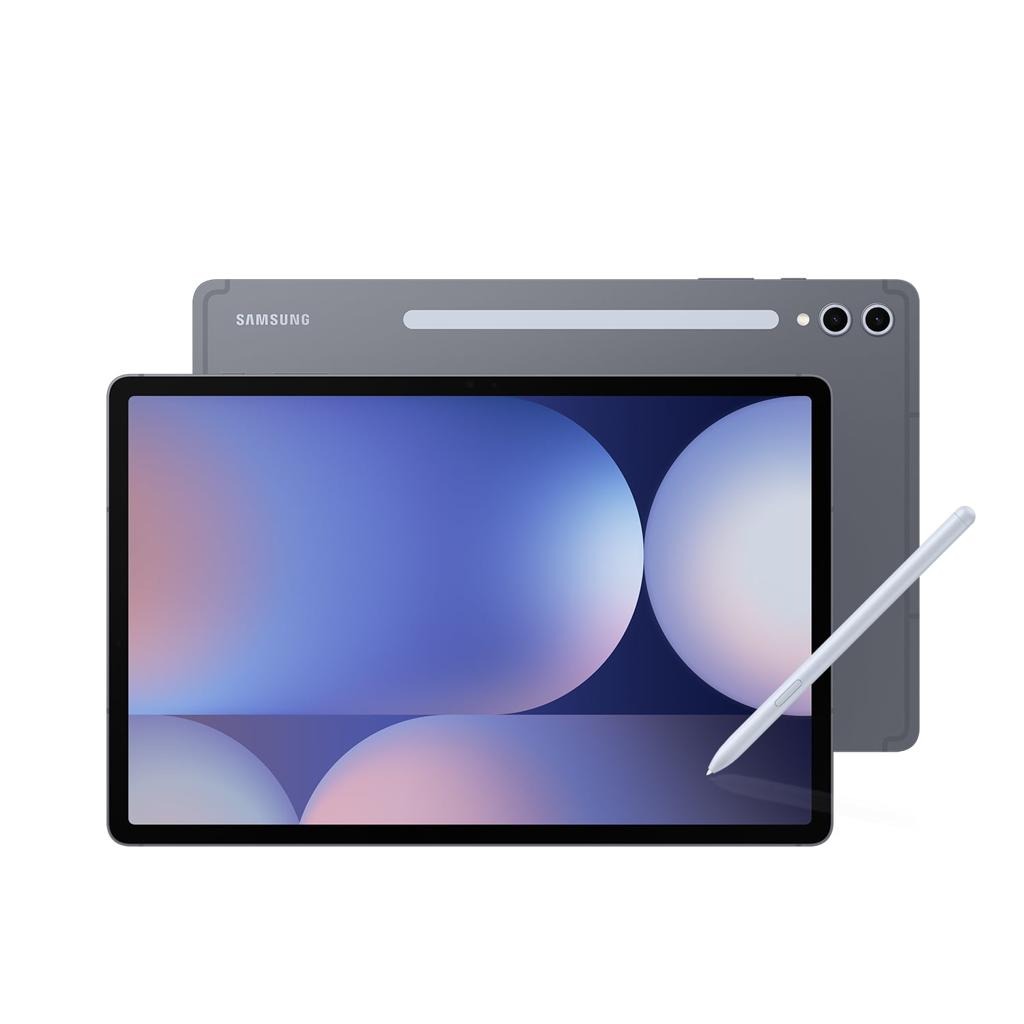
Samsung Galaxy Tab tablets are a practical option for organizations that want Android hardware with a wide range of screen sizes and productivity features. The Galaxy Tab S series is designed for demanding work, while selected Galaxy Tab A models may suit organizations prioritizing routine tasks and budget management.
You can use Google Workspace applications such as Gmail, Google Drive, Google Docs, Google Sheets, and Google Meet on compatible Android tablets. For organizational management, the specific tablet must support the Android management configuration your administrator plans to deploy.
Best features: A range of screen sizes, Android work profile support on compatible configurations, multitasking capabilities, and a choice of higher-end or more affordable hardware. Samsung’s productivity features can also be useful for employees who need to work with multiple applications.
Pros: Samsung offers a broad tablet lineup, making it easier to match hardware to different budgets. Larger models can be useful for spreadsheets, document editing, and video meetings. Android also supports the work profile approach used by Google endpoint management on compatible devices.
Cons: Features vary considerably between models. Some lower-cost tablets may have limited performance for heavy multitasking. Administrators should verify the exact model’s support for required enrollment and security policies rather than assuming every Galaxy Tab has identical capabilities.
2. Lenovo Tab Series
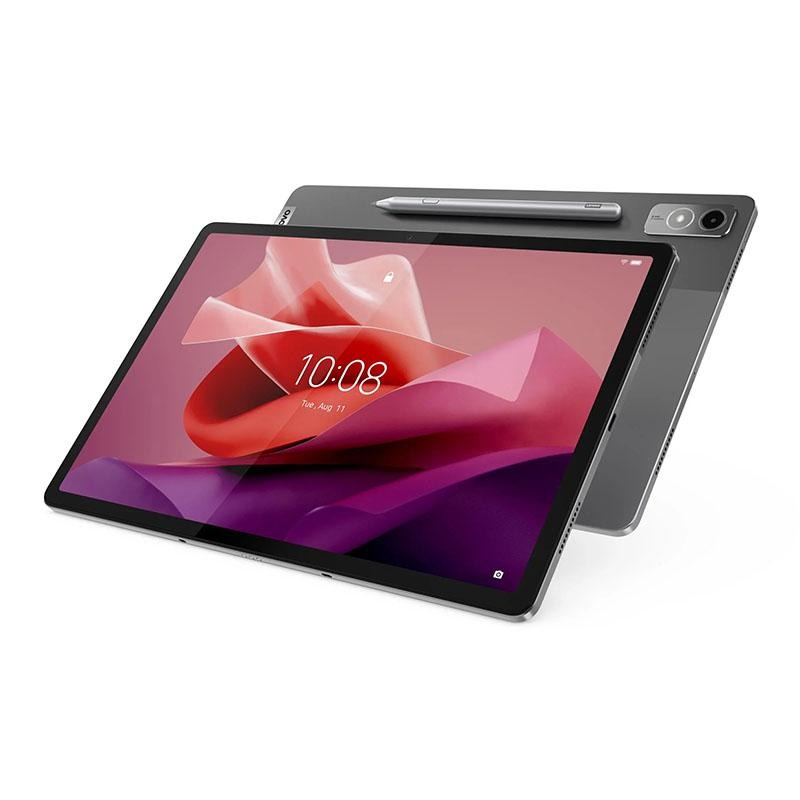
Lenovo Tab tablets offer another Android-based choice for businesses, schools, and teams that need tablets for document access, communication, and everyday productivity. Models in the Lenovo Tab family differ in processing power, screen size, and accessories, so the right choice depends on how the device will be used.
A Lenovo tablet running a supported Android version can access Google Workspace services. For more extensive device management, administrators should verify work profile support, Android version, and whether the device can be enrolled using the intended management method.
Best features: Large display options, useful productivity accessories on selected models, and a range of hardware suitable for different usage requirements. Larger Lenovo tablets may be convenient for reading documents and attending Google Meet sessions.
Pros: The product family offers flexibility in size and budget. A suitable model can handle common Workspace tasks without requiring a laptop for every activity. Android compatibility also makes Lenovo tablets relevant for organizations already managing Android devices.
Cons: Hardware capabilities differ across the product range. Some models may not be appropriate for demanding workflows such as extensive spreadsheet work or frequent multitasking. The organization must verify management compatibility for the precise model and software configuration.
3. Google Pixel Tablet
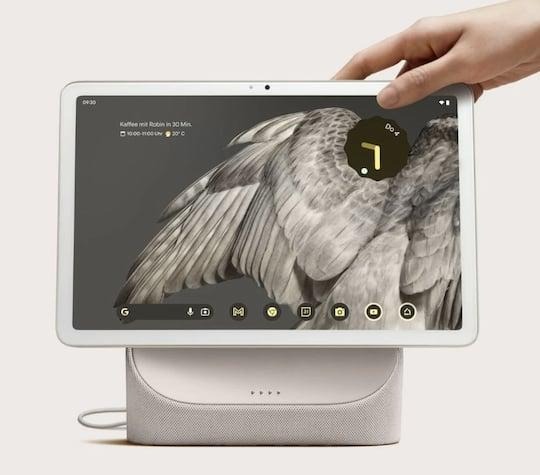
Google Pixel Tablet is an Android tablet that may appeal to organizations already using Google’s ecosystem. It provides access to Android applications and Google services, making it relevant for users who primarily work in Gmail, Drive, Docs, and other cloud-based tools.
However, a tablet being made by Google does not automatically mean it has every enterprise management feature your organization needs. The management capabilities depend on the supported Android configuration, enrollment method, Workspace edition, and applicable policies.
Best features: Google-focused software experience, access to Android applications, and a tablet format suited to communication and everyday productivity. It can be considered where a Google-oriented user experience is desirable.
Pros: Familiar Google services and Android application compatibility make it relevant to Workspace users. Its tablet design can work well for users who need a portable device for meetings, reading, and document access.
Cons: Organizations should not assume that every Pixel Tablet setup supports all company-owned device management scenarios. Verify the available enterprise enrollment options and current support requirements before deployment. Hardware selection is also more limited than Samsung’s broader tablet lineup.
4. Apple iPad Series
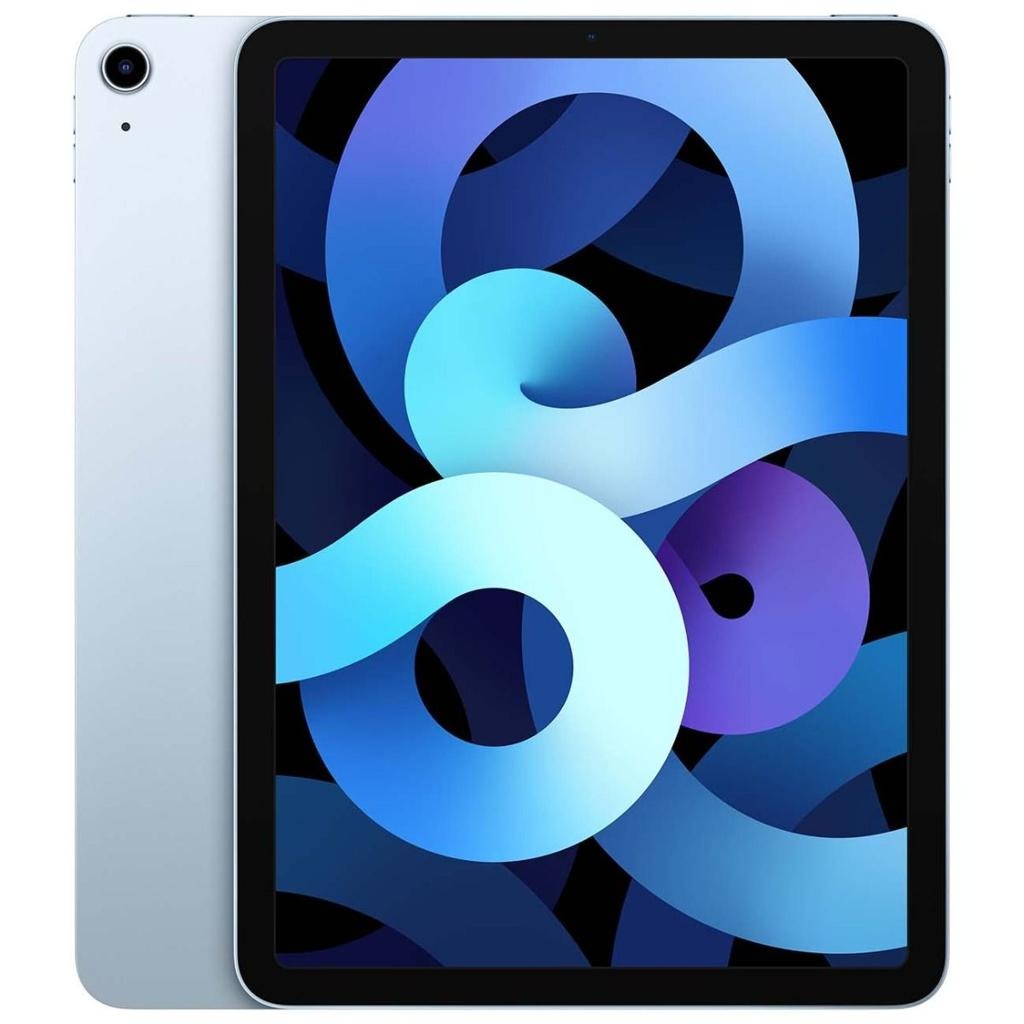
Apple iPad tablets are another compatible choice for organizations using Google Workspace. Google provides mobile management support for iPadOS, including basic and advanced management options subject to operating system and account requirements.
iPads can run Google Workspace applications such as Gmail, Drive, Docs, Sheets, and Meet. For organizations that already use Apple hardware, iPads may be a natural fit, but administrators need to account for Apple’s device management and enrollment processes.
Best features: Strong tablet application ecosystem, broad accessory support across selected models, and compatibility with iPadOS management workflows. iPads can be suitable for education, creative work, meetings, and document-based tasks.
Pros: iPad hardware offers multiple choices across price and performance levels. Google Workspace applications are available on iPadOS, and Google endpoint management supports iPad devices under its relevant management requirements.
Cons: iPad management has requirements that differ from Android. Advanced management may require iPadOS 15 or later, and company-owned deployment involves Apple Business Manager or Apple School Manager in supported setups. Organizations should plan for Apple’s enrollment and account processes.
5. Microsoft Surface Go and Windows Tablets
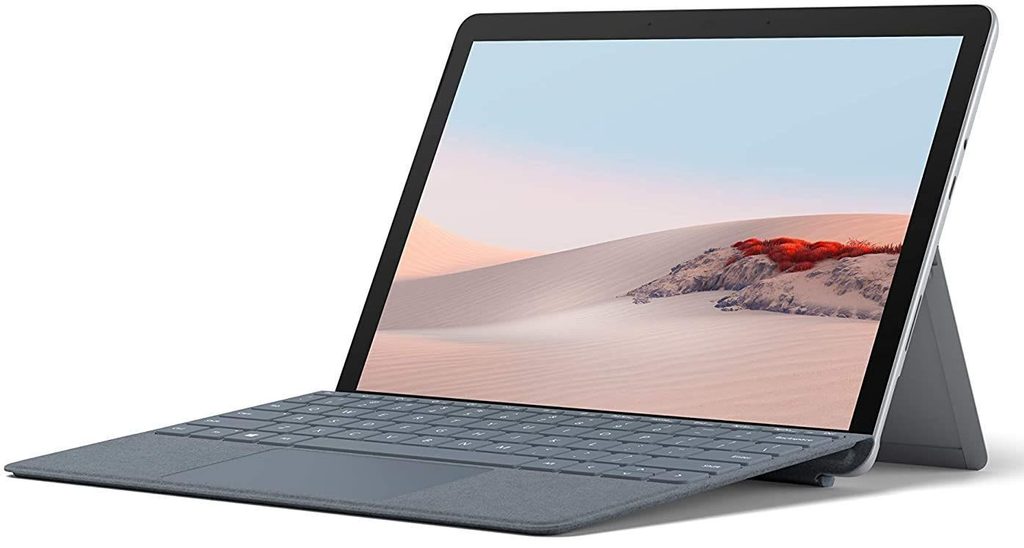
Microsoft Surface Go and other Windows tablets can access Google Workspace through web browsers and supported applications. However, they should be evaluated differently from Android tablets and iPads because Google’s mobile management requirements are not the same as its Windows endpoint management options.
Google Workspace can manage certain Windows endpoints through available security and endpoint features, depending on the organization’s edition and configuration. That does not mean a Windows tablet receives the same management experience as an Android tablet with a work profile.
Best features: Windows desktop application compatibility, keyboard support, and flexibility for users who need traditional PC workflows. A Windows tablet may be suitable for employees who require applications beyond mobile productivity tools.
Pros: Windows hardware can support a familiar desktop environment and a range of business software. Organizations that already manage Windows devices may find it useful to evaluate tablets within their existing endpoint strategy.
Cons: Windows tablets are not a direct substitute for Android mobile management. Administrators must evaluate Windows endpoint requirements, security features, and the specific Google Workspace management capabilities available for their edition.
A Quick Comparison Table
| Tablet Family | Operating System | Google Workspace Access | Management Considerations | Best For |
| Samsung Galaxy Tab | Android | Yes, on compatible devices | Android work profiles and enrollment requirements | Business and school deployments |
| Lenovo Tab | Android | Yes, on compatible devices | Verify model and Android management support | Budget-conscious teams |
| Google Pixel Tablet | Android | Yes, on compatible devices | Confirm supported enterprise configuration | Google-focused workflows |
| Apple iPad | iPadOS | Yes, on compatible devices | Apple enrollment and iPadOS requirements | Education and business |
| Microsoft Surface Go | Windows | Through supported web and app access | Evaluate Windows endpoint management | Desktop-style productivity |
The table provides a general comparison rather than a guarantee that every model or configuration supports every management feature. Google states that available management options depend on the device setup, management level, company-owned status, and Google Workspace license.
Additional Tips for Choosing a Google Workspace-Compatible Tablet
Check the Google Workspace Edition
Your Google Workspace subscription matters when planning device management. Google endpoint management features vary by edition, and advanced management may not be available in exactly the same way across all plans.
Before purchasing tablets, check whether your organization’s subscription supports the management features you need. Google provides different capabilities for basic management, advanced management, and company-owned device administration.
Confirm Android Work Profile Support
If you are purchasing Android tablets, work profile support is an important consideration. A work profile can separate organizational applications and data from personal content on supported devices.
Google’s documentation states that Android work profiles are supported on Android 6.0 and later, subject to the device’s capabilities. However, the Android version alone should not be treated as a complete guarantee of compatibility with every management scenario.
Ask your tablet supplier whether the exact model supports the intended enrollment process and management policies before making a bulk purchase.
Decide Between Personal and Company-Owned Tablets
Your management requirements will differ depending on whether employees use personal tablets or devices supplied by the organization.
For personal Android tablets, a work profile can help separate work information from personal applications and data. Company-owned devices may support additional controls when enrolled through an appropriate enterprise management configuration.
Google supports company-owned device management for Android and iPad devices, but enrollment requirements vary by platform. For iPads, organization-owned deployment can involve Apple Business Manager or Apple School Manager.
Consider Screen Size and Productivity
Think about the work users will perform every day. If employees mainly read emails, review documents, and join meetings, a compact tablet may be sufficient. If they regularly edit spreadsheets, compare documents, or multitask, a larger display and keyboard accessory may be more useful.
Screen size, RAM, processor performance, storage, and accessory compatibility should be evaluated alongside management support. A tablet that meets your security requirements but struggles with everyday tasks may create unnecessary frustration for users.
Review Application Management Requirements
Google endpoint management allows administrators to manage supported mobile applications under applicable configurations. For Android, organizations can use managed Google Play and related app policies. iOS applications can also be managed through supported Google endpoint management features.
If your organization needs to control which applications employees install, confirm that your chosen tablet platform supports the relevant application policies. Also, distinguish between controlling access to Google Workspace services and managing the entire device.
Test a Small Group Before Deployment
A pilot program can help you identify compatibility issues before purchasing tablets for your entire organization.
Select a few representative tablet models and test account enrollment, Google Workspace access, document editing, Google Meet, password policies, and remote management functions. Confirm that the results match your administrator’s requirements.
This approach can reduce the risk of purchasing hardware that works for basic app access but does not support the management controls your organization expects.
FAQs
Can any Android tablet be managed through Google Workspace?
Not necessarily. Many Android tablets can access Google Workspace, but management compatibility depends on the device’s Android version, supported management capabilities, and enrollment configuration.
Google’s requirements distinguish between basic and advanced management. For advanced features, devices must meet additional requirements, including support for work profiles or relevant company-owned configurations.
Can Samsung Galaxy Tab tablets be managed through Google Workspace?
Compatible Samsung Galaxy Tab tablets can be managed through Google endpoint management when they meet the applicable Android and enrollment requirements.
However, you should verify the exact model and intended management mode before purchasing. Different Galaxy Tab models may have different software support and hardware capabilities.
Can iPads be managed through Google Workspace?
Yes. Google Workspace supports iPadOS devices through its mobile management features, subject to applicable requirements.
Google lists iPadOS 13.1 or later for basic mobile management and iPadOS 15 or later for advanced mobile management. Company-owned iPad deployment may also require Apple Business Manager or Apple School Manager.
Is Google Workspace management the same as Android Enterprise?
No. Google endpoint management and Android Enterprise are related but distinct concepts. Google endpoint management provides organizational device management through Google Workspace, while Android Enterprise is a broader set of Android enterprise management technologies and capabilities.
Google explains that its endpoint management service offers many features available through Android Enterprise, but the available options depend on the device and configuration.
Can Google Workspace remotely wipe a tablet?
Google endpoint management supports different wipe options depending on the management level and platform. Basic management can support removing a user’s work account from a device, while advanced management provides additional management capabilities.
The exact wipe behavior depends on the device setup and applicable policy. Administrators should review Google’s documentation before relying on a particular wipe function.
Should I choose Android or iPad for my organization?
The choice depends on your existing technology environment, management requirements, budget, and preferred applications.
Android tablets may be convenient for organizations that want work profile management and a variety of hardware options. iPads may be a good fit for organizations that already use Apple’s hardware and enrollment ecosystem.
Compare the management workflow, application requirements, and support arrangements before making your decision.
Can employees use their personal tablets for Google Workspace?
Yes, subject to your organization’s access policies and the device’s compatibility. Google Workspace supports mobile access on personal devices, and supported Android work profiles can help separate work data from personal information.
Organizations that require stronger controls should evaluate whether personal device access is appropriate and whether their management configuration provides the necessary protections.