
Skip to content
Tech Tips Now

TechTipsNow – Tips, News, Tricks, and Error Fixing.

  • News
    • Updates & Patch Note
  • How To
  • Opinions
  • Firmware
    • Device Type
      • Phone
      • TV
      • Others
  • Guide
  • Keyboard Shortcuts
  • How to Fix
  • About Us
    • Contact Us
    • Privacy Policy

Home ยป How to Open Settings in Windows 10

Tag: How to Open Settings in Windows 10

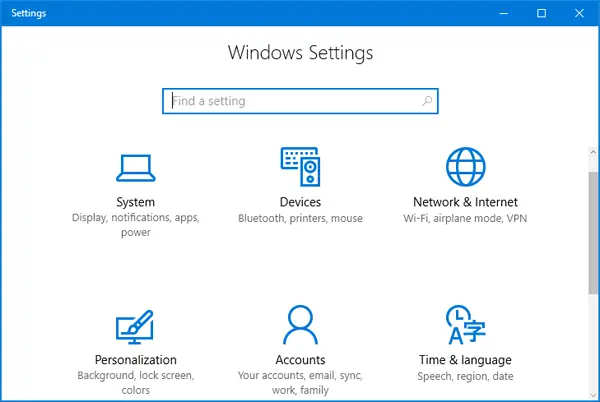
How to Open Windows Settings in Windows 10
December 16, 2020 How To

How to Open Windows Settings in Windows 10?

How to Open Windows Settings in Windows 10: Windows setting application in Windows 10 is the modern replacement for the

Continue reading
Search Your Guide

Latest Posts

  • Can’t Load This Photo for Editing Error on Google Photos
  • Activate Microphone on Your Computer [Windows 11/10]
  • How to Create an SSL Certificate for a Website [4 Methods]
  • Manage VPN and Advanced Sharing Settings in Windows 11/10
  • Repair Registry in Windows 11/10 [Full Guide]
  • Reset Permissions on WindowsApps Folder [Easy Guide]
  • Restart IIS via Command Line (Understanding the iisreset /start)
  • View Photos as a Slideshow on Windows 11/10
  • Where is the Windows Installer Folder? Should You Delete It? Cleanup Process
  • Make a website into a Desktop App in Windows 11/10

All Tags

Amazon Fire TV (11) Amazon Prime Error (25) App (77) Apple TV (15) Apps (9) Crunchyroll (12) Disney Plus (19) Error (64) Gaming (29) Google (13) Hulu (14) Instagram (12) iPhone (19) Lennox (12) LG Smart TV (19) LG TV (11) LG TV Error (10) Microsoft (17) Microsoft Teams (27) Minecraft (9) Netflix (10) News (37) Nike (12) Nintendo Switch (10) OneDrive (11) paramount plus (21) Patch Notes (11) Roblox (59) RoBlox Error (43) Samsung TV (14) Samsung TV Error (13) Snapchat (10) Spotify (12) Steam (23) Steam Deck (15) Tech News (27) Ticketmaster (12) Updates (13) WhatsApp (11) Windows (60) Windows 10 (75) Windows 11 (66) Xbox (29) Zelle (12) Zoom Error (44)

DMCA.com Protection Status

Note: All Tradmarks and Logos are used on this website for information purpose only.

Rights Reserved |2020-2026|@ Tech Tips Now