
Skip to content
Tech Tips Now

TechTipsNow – Tips, News, Tricks, and Error Fixing.

  • News
    • Updates & Patch Note
  • How To
  • Opinions
  • Firmware
    • Device Type
      • Phone
      • TV
      • Others
  • Guide
  • Keyboard Shortcuts
  • How to Fix
  • About Us
    • Contact Us
    • Privacy Policy

Home » You searched for Google Chrome » Page 2

Search Results for: Google Chrome

Change Your Google Account Region
November 6, 2026 Guide

Change Your Google Account Region

Google doesn’t offer one universal country or region switch that changes everything across your account. Your Google Play country, Google

Continue reading
Installing Xfinity Stream on Google TV
November 4, 2026 Guide

Installing Xfinity Stream on Google TV

If you have an Xfinity TV subscription and a Google TV device, you might want to watch your favorite live

Continue reading
Fix Network May be Monitored Message on Chromebook
November 1, 2026 How to Fix

Fix ‘Network May Be Monitored’ Message on Chromebook

Are you seeing the “Your network may be monitored” message on your Chromebook? This warning can appear in ChromeOS when

Continue reading

Reset Browser Settings in Chrome, Edge, Firefox, and Safari
October 26, 2026 Guide

Reset Browser Settings in Chrome, Edge, Firefox, and Safari

Over time, browser settings can change because of extensions, modified search preferences, unwanted toolbars, or troubleshooting attempts. You might also

Continue reading
Reopen Closed Tab in Chrome
October 26, 2026 How To

Reopen a Closed Tab in Chrome [5 Ways Including Keyboard Shortcuts]

Have you ever accidentally closed a tab in Google Chrome while reading an article, shopping online, or working on something

Continue reading
Bitdefender Not Working on Chromebook
October 23, 2026 How to Fix

Bitdefender Not Working on Chromebook

Are you having trouble getting Bitdefender to work on your Chromebook? Maybe the app will not open, you cannot sign

Continue reading
Enable Location Permissions in Your Browser [Chrome, Edge, Safari, Firefox]
October 23, 2026 How To

Enable Location Permissions in Your Browser [Chrome, Edge, Safari, Firefox]

Have you ever opened Google Maps, a weather website, or a nearby restaurant finder and received a message asking you

Continue reading
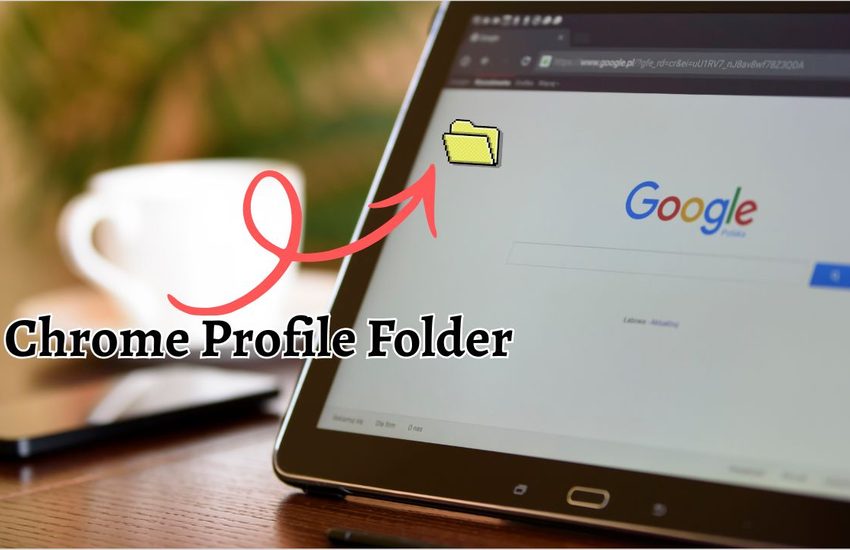
Find Chrome Profile Folder on Windows, Mac & Linux
October 23, 2026 How To

Find the Chrome Profile Folder on Windows, Mac & Linux

Google Chrome stores your browsing information, bookmarks, extensions, settings, and other user data in a specific location on your computer

Continue reading
Website Icons Not Showing in Browser [Edge & Chrome]
October 20, 2026 How to Fix

Website Icons Not Showing in Edge & Chrome

Website icons, small images commonly called favicons, appear on browser tabs, bookmarks, and the favorites bar. For example, when you

Continue reading
Stop Downloads From Opening Automatically in Chrome, Edge, Adobe, and More
October 16, 2026 How To

Stop Downloads From Opening Automatically in Chrome, Edge, Adobe, and More

Downloading files is a regular part of using a Windows PC. You might download a PDF from a website, save

Continue reading
Fix Camera Not Found Error on Google Meet
October 15, 2026 How to Fix

Fix the ‘Camera Not Found’ Error on Google Meet

Google Meet makes it easy to attend online meetings, video conferences, and virtual classes. However, things can get frustrating when

Continue reading
How to Block YouTube on Chrome
October 13, 2026 How To

How to Block YouTube on Chrome: Step-by-Step Guide

YouTube is a great place to watch tutorials, learn new skills, and enjoy entertainment. However, it can also become a

Continue reading

Posts pagination

«Previous Posts 1 2 3 4 … 20 Next Posts»

Latest Posts

  • How to Block Pop-ups on Brave Browser (Windows, Mac, and Mobile)
  • Classic Indented View Doesn’t Work in Outlook: How to Fix It
  • Fastest Windows Browser in 2026: Which Browser Should You Use?
  • Fix (MsMpEng.exe) Antimalware Service Executable High Memory Usage
  • Boost Download Speed in Chrome on Windows & Mac
  • Pinterest Not Working in Chrome but Fine on Edge? Try This!
  • Why Is My Cursor White in Word? How do I Fix It?
  • Automatic Repair Couldn’t Repair Your PC in Windows 11? Try This!
  • How To Find Recently Opened Folders In Windows 11/10
  • How to Press the Spacebar to Hear an Audio File on a PC [Guide]

DMCA.com Protection Status

Note: All Tradmarks and Logos are used on this website for information purpose only.

Rights Reserved |2020-2026|@ Tech Tips Now